Connect Your GPU
With Us
Download the official OriginLink Desktop Client. Turn your idle GPU into an automated compute provider and earn Tensor Credits (TC) continuously for every inference token served.
Windows x64 Installer
Supports NVIDIA RTX (CUDA 11/12) & AMD Radeon GPUs with zero setup complexity.
How to Configure OriginLink & Connect Your Local Model
Get your node running and connect your applications to your local model in 5 simple steps
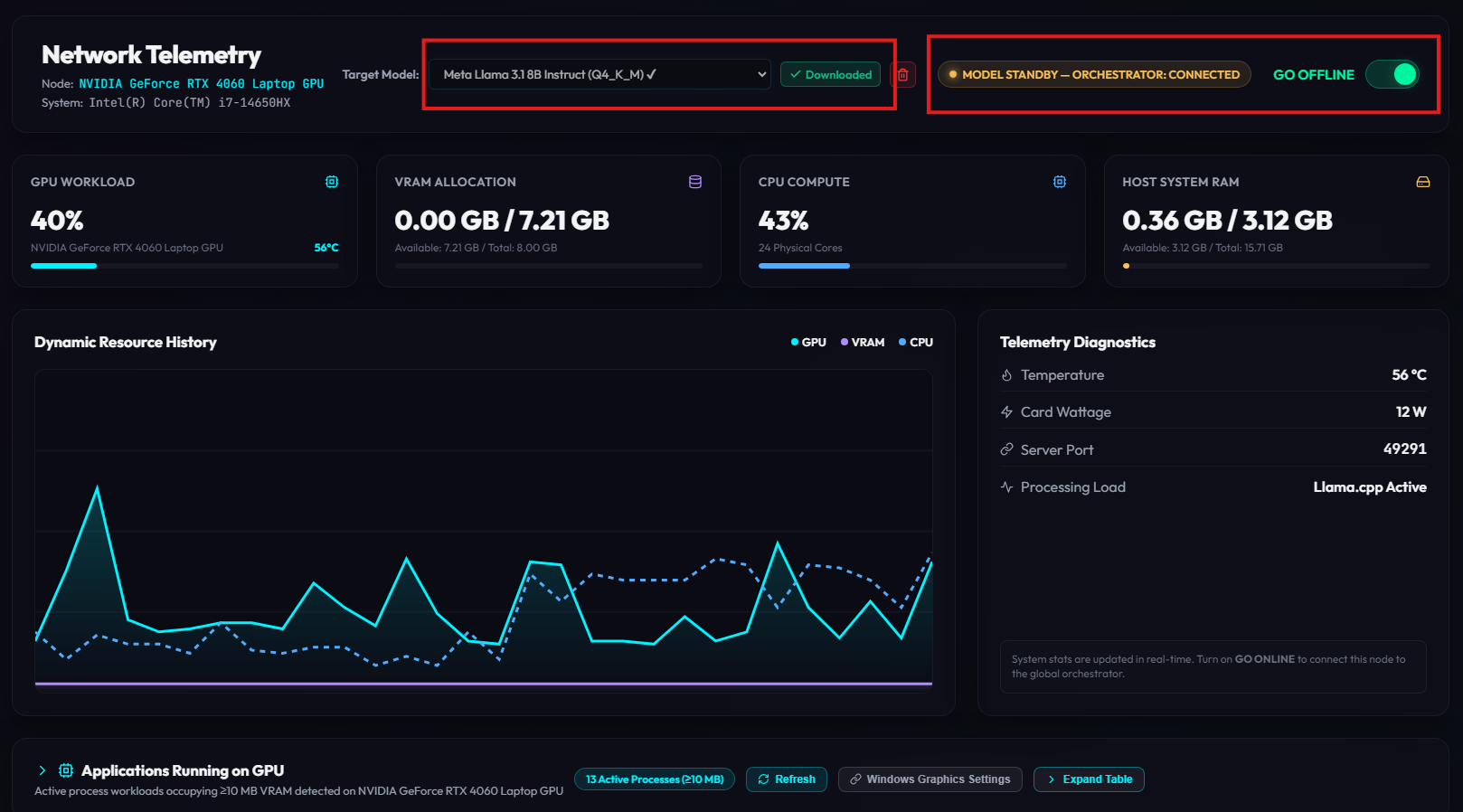
Install OriginLink App
Download the installer for your OS (Windows or macOS) and run the setup. Once installed, launch the OriginLink desktop app.
Download Model from Dropdown
In the app, locate the Model Dropdown section. Select your preferred model (e.g. DeepSeek-R1, Llama 3.3, or Qwen) and click download.
Put It Online
Toggle the node status switch to Online. OriginLink starts the model engine and binds to your local OpenAI-compatible inference server.
Get API Key from OriginOfAI
Sign in to your OriginOfAI account to retrieve your API key. This authenticates your calls and allows seamless local-to-network fallback.
Check Docs & Connect to Your Local Model
Check our documentation to connect your code via Python, Node.js, cURL, or any standard OpenAI SDK library. Simply point your base URL to https://ai.originofbots.com/v1 with your API key.
How the OriginLink Desktop App Works
Designed for effortless, zero-maintenance GPU compute sharing
Automatic VRAM Detection
Upon launch, the OriginLink app automatically scans your system GPU VRAM (8GB, 16GB, 24GB, or 48GB+) and configures quantized LLM model engines (DeepSeek R1, Llama 3.3, Qwen 2.5) without requiring complex command-line flags.
Smart RPC Task Execution
When your computer is idle or in compute mode, the app connects to the central Origin Of AI Network orchestrator over encrypted WebSockets. It receives sub-second prompt tasks and streams back inference tokens at sub-12ms RPC latency.
Confidential E2E Encryption
All prompt payload chunks are decrypted in ephemeral GPU VRAM and instantly purged upon response completion. Your local node never stores user prompt history or log files.
How You Earn Tensor Credits (TC)
Every inference token processed by your attached GPU is cryptographically logged on the Proof-of-Inference ledger, automatically transferring Tensor Credits (TC) to your account balance.
Ready to Join the Compute Grid?
Download the OriginLink app or learn more about our unified OpenAI-compatible developer APIs.