
DR02
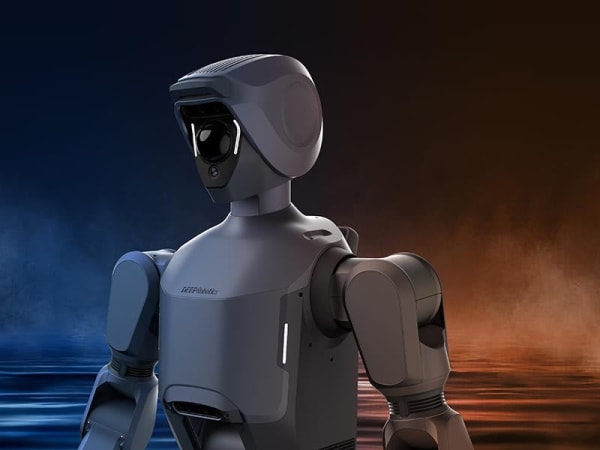
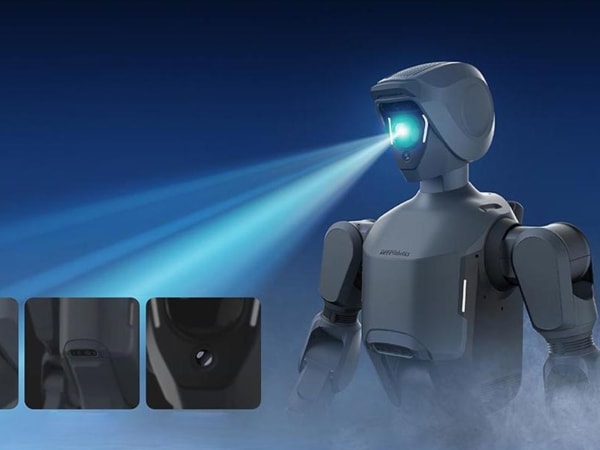
The DR02 is a full-size humanoid robot designed for industrial and outdoor applications, featuring an IP66 rating for dust and water resistance. Standing 175 cm tall and weighing 65 kg, it operates in extreme environments from -20°C to 55°C, enabling all-weather, all-scenario continuous operation. It has a modular quick-detach design for arms and legs, facilitating rapid maintenance and reducing downtime. Equipped with advanced sensors including LiDAR, depth and wide-angle cameras, and powered by a high-performance NVIDIA Jetson AGX Orin platform delivering 275 TOPS, the DR02 supports real-time perception, navigation, and intelligent decision-making. It can walk at 1.5 m/s, climb slopes up to 20 degrees, and carry payloads up to 20 kg, making it suitable for logistics, inspection, security, and industrial tasks in harsh environments.
Quick Overview & Key Facts
DR02 is a humanoid system developed by Deep Robotics in China and launched in 2025. Starting price is estimated at USD $80,000 - $150,000. It is currently ranked #127 in most-viewed humanoid robots on Origin of Bots. It supports Industrial tools, packages, inspection equipment. Operating battery runtime is rated at Estimated 2-3 hours. Primary applications include Industrial inspection, logistics and cargo transport, security patrol, emergency response, factory automation, outdoor maintenance in harsh environments. Featured in editorial articles including “DR02 Conquers Rain, Dust with IP66 All-Weather Mastery”.
What Can DR02 Do?
Core operational tasks and activities demonstrated or performed by DR02.
Real-World Applications of DR02
Industries, working environments, and deployment suitability for DR02.
DR02 Capabilities
Inherent physical, perceptual, and cognitive abilities built into DR02.
Download Media Cards
Story CardExport high-resolution story cards summarizing DR02's operational tasks, real-world applications, and capabilities.
Image Gallery
Below images are from Deep Robotics's official sources


Review Videos
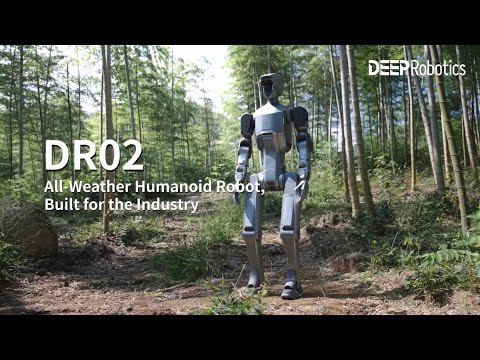
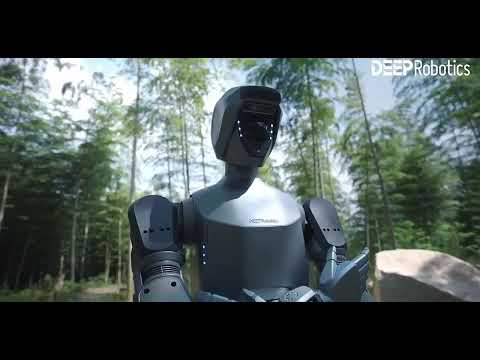
Watch expert reviews and demonstrations of this robot


Robot Specifications
Latest News About DR02
Stay updated with the latest articles and developments

More Robots from Deep Robotics
Explore other robots from this manufacturer

More Humanoid Robots
Discover more robots in the same category



Robots From Other Categories
Discover complementary robots from different categories that work well together


Frequently Asked Questions
Get answers to common questions about this robot
Q1. How to troubleshoot DR02?
Troubleshooting DR02 involves checking its modular components for faults. Use the quick-detach design to swap parts like arms and legs, then bench-test the removed parts.
Q2. How to set up DR02?
Setting up DR02 involves assembling its modular components and configuring its sensors and computing system. Follow the manufacturer's guidelines for detailed setup instructions.
Q3. What are DR02's primary use-cases?
DR02 is designed for industrial inspection, security patrols, logistics, and maintenance tasks, particularly in environments where weather conditions are challenging.
Q4. How to operate DR02?
Operate DR02 by using its onboard control system or remote control options. It can walk at 1.5 m/s and accelerate to 4 m/s when needed.
Q5. How to maintain DR02?
Maintenance involves quick-swapping of modular components like arms and legs to minimize downtime. Regularly inspect and clean its sensors and exterior.
Q6. What safety features does DR02 have?
DR02 features an IP66 rating for dust and water protection, allowing it to operate safely in harsh weather conditions.
Q7. How does DR02 handle different surfaces?
DR02 can handle slopes up to 20 degrees and navigate various terrains using its advanced sensor suite, including LiDAR and depth cameras.
Q8. How to clean DR02?
Clean DR02 by gently wiping its exterior with a damp cloth, avoiding direct water exposure on sensitive components. Use compressed air for dust removal.
Q9. How does DR02 navigate?
DR02 navigates using a multi-sensor suite that includes LiDAR, depth sensors, and wide-angle cameras, allowing it to create detailed maps and adapt movements dynamically.
Q10. What are common DR02 problems?
Common issues may include sensor malfunctions or component wear. Regular maintenance and quick-swapping of parts can mitigate these problems.
Q11. How to reset DR02?
Resetting DR02 typically involves restarting its onboard computing system. Consult the user manual for specific reset procedures.
Q12. How to control DR02?
DR02 can be controlled through its onboard interface or via remote control systems, allowing for both autonomous and manual operation.
Q13. How to connect DR02 to Wi-Fi?
Connecting DR02 to Wi-Fi involves configuring its network settings through its control interface. Ensure compatibility with your network protocols.
Q14. What is DR02's warranty?
The warranty details for DR02 are not publicly disclosed. Contact Deep Robotics for specific warranty information.
Q15. How to update DR02's software?
Software updates for DR02 are typically managed through its onboard computing system. Follow manufacturer guidelines for secure and efficient updates.
User Comments (No Login needed)
Share your thoughts, experiences, or questions about this robot.
Comments are reviewed before posting.