
AgiBot A2 Lite
Last updated:
AgiBot A2 Lite is a performance-focused version of AgiBot's A2 bipedal humanoid, sold through AgiBot's global store at $44,560. It stands 169 cm tall, weighs 63 kg, has 23 degrees of freedom and walks at up to 0.8 m/s, with joints producing up to 270 N·m. The A2 Lite has no perception or speech AI; instead it ships with a library of routines such as handshakes, tai chi and Peking opera for entertainment and commercial performances, and it can be controlled in groups or taught new moves through an optional VR kit.
Quick Overview & Key Facts
AgiBot A2 Lite is a humanoid robot made by AgiBot in China, launched in 2023 and built for entertainment and cultural and commercial performances (dances, tai chi, Peking opera, handshakes and waves). Its estimated price is $44,560 (AgiBot global store). Featured in “AgiBot A2 Lite: Compact Humanoid Powers Industrial Revolution”.
- Dimensions
- 169cm x 75cm x 30cm (H x W x L)
- Weight
- 63 kg
- Mobility
- Legged (bipedal walking)
- Top speed
- 0.8 m/s maximum (0.6 m/s or less in daily use)
- Payload capacity
- Light props only; 1.5 kg rated per arm (light-duty item handling not supported)
- Battery runtime
- 1.5 hours walking; 4 hours 35 minutes standing
- Charging time
- 2 hours
- Sensors
- No perception package: AgiBot lists perception and speech as not supported on the A2 Lite
- Operating environment
- Flat indoor floors; steps up to 20 mm and slopes up to 8%
What Can AgiBot A2 Lite Do?
Core operational tasks and activities demonstrated or performed by AgiBot A2 Lite.
Real-World Applications of AgiBot A2 Lite
Industries, working environments, and deployment suitability for AgiBot A2 Lite.
AgiBot A2 Lite Capabilities
Inherent physical, perceptual, and cognitive abilities built into AgiBot A2 Lite.
Download Media Cards
Story CardExport high-resolution story cards summarizing AgiBot A2 Lite's operational tasks, real-world applications, and capabilities.
Image Gallery
Below images are from AgiBot's official sources
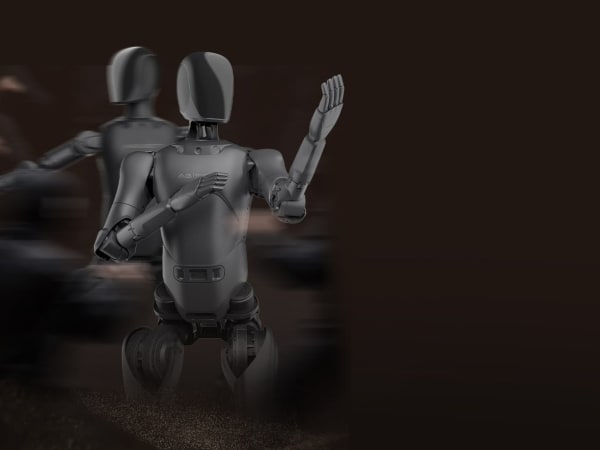
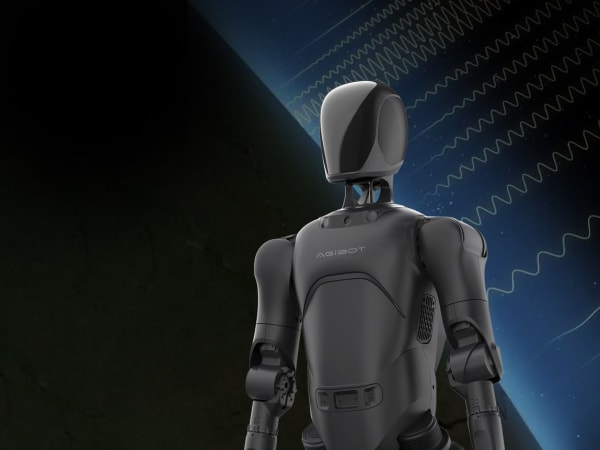
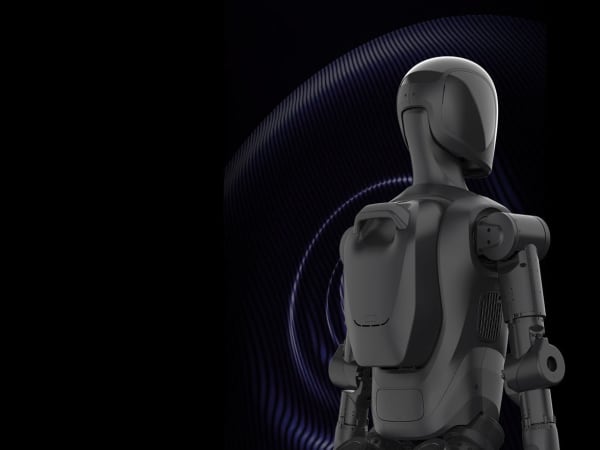
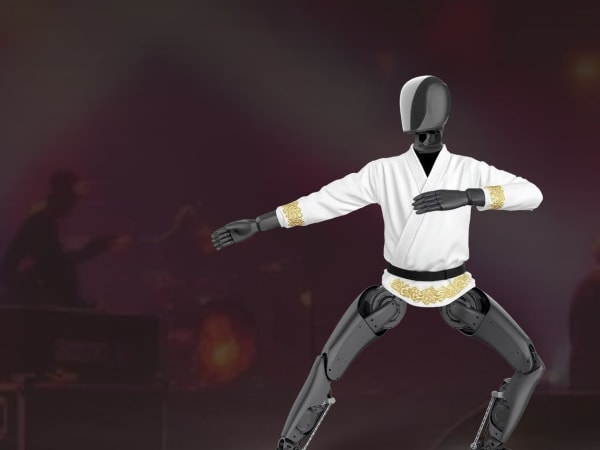
Robot Specifications
ConfirmedValues marked Confirmed were checked against the manufacturer's official data; select the badge to open the source. Values without a Confirmed badge are compiled from public sources and may not be manufacturer-verified.
Not yet published by AgiBot: safety certifications, EMC compliance, noise level, expected lifespan, maintenance schedule, firmware version, hardware ports, color options and 2 more.
Robot Timeline
Key milestones in this robot's development and rollout
AgiBot unveils the Expedition A2 series, including the A2, A2-W and A2-Max, as its first full-size commercial humanoids.
Source: KrASIA ↗
An AgiBot A2 walks 106.286 km from Suzhou to Shanghai without powering off, earning a Guinness World Record.
Source: Wikipedia ↗
AgiBot marks its 5,000th robot; the Expedition A series accounts for 1,742 of the units built.
Source: Interesting Engineering ↗
Latest News About AgiBot A2 Lite
Stay updated with the latest articles and developments
Compare This Robot With Others
See how AgiBot A2 Lite stacks up against other leading robotics models in detailed side-by-side technical comparisons.
More Robots from AgiBot
Explore other robots from this manufacturer
More Humanoid Robots
Discover more robots in the same category


Robots From Other Categories
Discover complementary robots from different categories that work well together


Frequently Asked Questions
Get answers to common questions about this robot
Q1. What is AgiBot A2 Lite?
A lighter, performance-focused version of AgiBot's A2 bipedal humanoid, designed for entertainment, cultural and commercial performances. AgiBot's global store lists it at $44,560.
Q2. How tall is the A2 Lite and how much does it weigh?
It is 169 cm tall and weighs about 63 kg.
Q3. How many degrees of freedom does it have?
23: five in each arm, six in each leg and one in the head.
Q4. Can the A2 Lite talk or recognise objects?
No. AgiBot lists perception and speech as not supported on the A2 Lite. It has a 5 W speaker and performs pre-built routines instead.
Q5. How fast does it walk?
Up to 0.8 m/s, with 0.6 m/s or less recommended for everyday use.
Q6. How long does the battery last?
About 1.5 hours of walking, with a hot-swappable 14.4 Ah battery that recharges in 2 hours.
Q7. How is it controlled?
With a wireless controller and AgiBot's AIMMASTER client. Optional group-control software coordinates several robots, and an optional VR kit records new actions without coding.
Q8. What warranty does it have?
One year or 3,000 operating hours, whichever comes first.
Rating and Reviews
Share your experience and help others decide!
Loading...
User Reviews
No user reviews. Be the first one to review!
User Comments (No Login needed)
Share your thoughts, experiences, or questions about this robot.
Comments appear after moderator review.