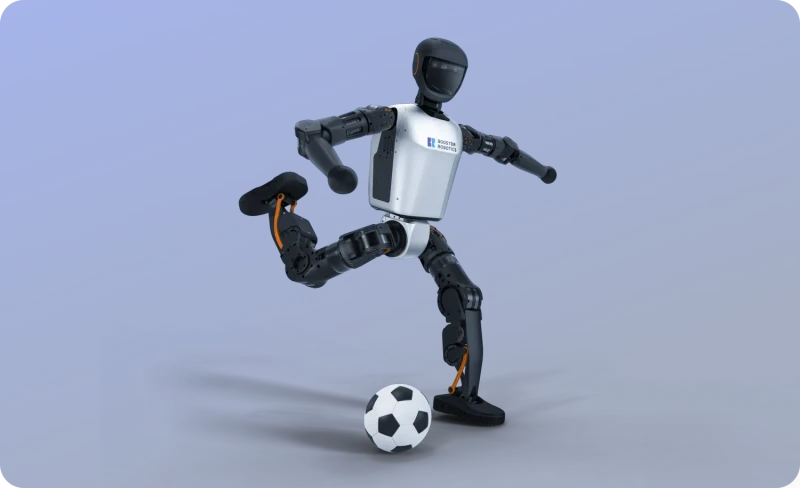
T1 Humanoid
AI ChatLast updated:
The T1 Humanoid robot by Booster Robotics is a versatile, open-source platform designed for developers and researchers. It features 23 degrees of freedom, allowing for dynamic movements and precise posture control. Equipped with advanced AI capabilities, including an NVIDIA Jetson AGX Orin GPU, it supports omnidirectional walking and complex manipulation tasks. The robot is suitable for various applications, including robotics research, education, and industrial automation.
Quick Overview & Key Facts
T1 Humanoid is a humanoid robot made by Booster Robotics in China, launched in 2023 and built for research labs, universities, and industrial prototyping. Its estimated price is $80,000 - $120,000 (Estimated). Featured in “The 2026 Humanoid Price War: Comparison of Unitree R1 vs. Noetix Bumi and entry-level models”.
- Dimensions
- 118 cm x 47 cm x 23 cm
- Weight
- 30 kg
- Mobility
- Legged
- Top speed
- 3.5 km/h (0.97 m/s) max walking speed
- Handles
- Packages, tools
- Battery runtime
- 2 hours walking; 4 hours standing
- Charging time
- 2 hours
- Sensors
- RGBD camera, 3D LiDAR, 9-axis IMU, microphone array (6 microphones), speaker, force sensors in joints, dual-encoder joint feedback
- Operating environment
- Indoor
What Can T1 Humanoid Do?
Core operational tasks and activities demonstrated or performed by T1 Humanoid.
Real-World Applications of T1 Humanoid
Industries, working environments, and deployment suitability for T1 Humanoid.
T1 Humanoid Capabilities
Inherent physical, perceptual, and cognitive abilities built into T1 Humanoid.
Download Media Cards
Story CardExport high-resolution story cards summarizing T1 Humanoid's operational tasks, real-world applications, and capabilities.
Image Gallery
Below images are from Booster Robotics's official sources


Review Videos
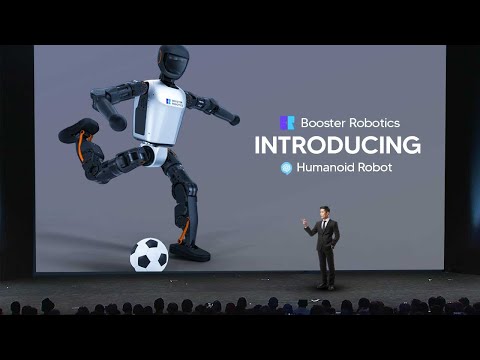
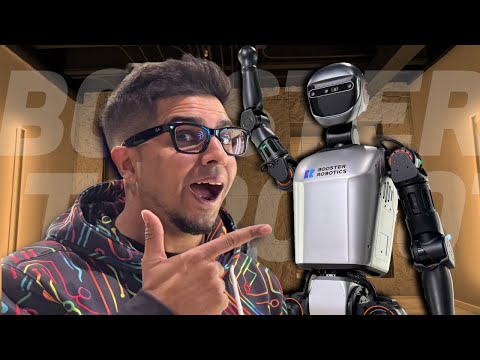
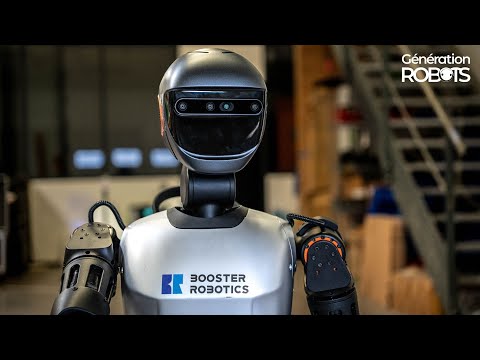
Watch expert reviews and demonstrations of this robot
Robot Specifications
ConfirmedValues marked Confirmed were checked against the manufacturer's official data; select the badge to open the source. Values without a Confirmed badge are compiled from public sources and may not be manufacturer-verified.
Not yet published by Booster Robotics: safety certifications, EMC compliance, IP rating, noise level, expected lifespan, maintenance schedule, firmware version, update method and 4 more.
Robot Timeline
Key milestones in this robot's development and rollout
Booster T1 makes its public debut at the World Robot Conference 2024, showing its athletic abilities.
Source: Booster Robotics ↗
Booster T1 takes first place in both the Speed Competition and the Obstacle Avoidance and Door Opening Challenge at IEEE-RAS Humanoids 2024.
Source: Booster Robotics ↗
Booster becomes an official RoboCup partner, with the T1 proving its durability in soccer scenarios.
Source: Booster Robotics ↗
Booster T1 is featured at NVIDIA's Spring Festival event and becomes available to buyers worldwide.
Source: Booster Robotics ↗
Booster robots sweep the RoboCup 2025 Humanoid League: Tsinghua Hephaestus wins AdultSize with the T1, China's first title in that league.
Source: Booster Robotics ↗
Latest News About T1 Humanoid
Stay updated with the latest articles and developments
T1 Humanoid Also Mentioned in Below Articles
Find out how this model stacks up against the world's best robots
More Robots from Booster Robotics
Explore other robots from this manufacturer

More Humanoid Robots
Discover more robots in the same category


Robots From Other Categories
Discover complementary robots from different categories that work well together

Frequently Asked Questions
Get answers to common questions about this robot
Q1. How to troubleshoot T1 Humanoid?
Check for loose connections, ensure battery is charged, and reboot the system. Use the mobile app or ROS2 interface to monitor joint status and sensor data. For persistent issues, consult the open-source SDK documentation for error codes and diagnostics.
Q2. How to set up T1 Humanoid?
Unbox the robot, attach the vertical stand, and charge the battery. Power on, connect to Wi-Fi via the mobile app, and calibrate joints using the provided software. Install necessary drivers and development tools for advanced customization.
Q3. What are T1 Humanoid's primary use-cases?
Ideal for robotics research, education, industrial automation prototyping, entertainment, and human-robot interaction. Supports algorithm development, AI training, object manipulation, and dynamic locomotion tasks.
Q4. How to operate T1 Humanoid?
Use the remote control or mobile app for basic movements. For advanced tasks, program via ROS2 or the open-source SDK. Predefined actions include walking, waving, and standing; custom motions can be scripted.
Q5. How to maintain T1 Humanoid?
Regularly inspect joints and motors for wear, clean exterior surfaces, and keep firmware updated. Lubricate moving parts as needed and store in the transport case when not in use to prevent dust accumulation.
Q6. What safety features does T1 Humanoid have?
Includes automatic damping in uncontrolled states, emergency stop mechanisms, and fall recovery. Designed to withstand minor impacts and stop motion if obstructions are detected.
Q7. How does T1 Humanoid handle different surfaces?
Capable of omnidirectional walking on flat and uneven surfaces, with disturbance resistance for minor obstacles. Not recommended for very rough or slippery terrain without additional testing.
Q8. How to clean T1 Humanoid?
Wipe the exterior with a dry, soft cloth. Avoid liquids near joints and electronics. For stubborn dirt, use a slightly damp cloth, then dry immediately. Do not submerge any part of the robot.
Q9. How does T1 Humanoid navigate?
Uses onboard sensors (RGBD camera, microphone array) and AI for object recognition and environment mapping. Supports autonomous navigation and can follow predefined paths or respond to voice commands.
Q10. What are common T1 Humanoid problems?
Occasional joint calibration errors, Wi-Fi connectivity issues, or software crashes. Most can be resolved by rebooting, recalibrating, or updating firmware. Check SDK forums for community solutions.
Q11. How to reset T1 Humanoid?
Power off the robot, wait 10 seconds, then power on. For a full reset, use the mobile app or SDK to restore factory settings. Note
Q12. How to control T1 Humanoid?
Basic control via included remote or mobile app. Advanced control through ROS2 interfaces, allowing low-level joint/sensor access and high-level motion planning. Supports simulation in Isaac Sim.
Q13. How to connect T1 Humanoid to Wi-Fi?
Use the mobile app to select your network and enter credentials. The robot will confirm connection status on its display or via app notification. Ensure the robot is within range of the router.
Q14. What is T1 Humanoid's warranty?
Typically comes with a one-year warranty covering manufacturing defects. Contact the supplier for details. User-caused damage or modifications may void warranty.
Q15. How to update T1 Humanoid's software?
Download the latest firmware via the mobile app or SDK. Follow on-screen instructions to install. Regular updates improve performance, add features, and fix bugs. Backup custom configurations before updating.
Rating and Reviews
Share your experience and help others decide!
Loading...
User Reviews
No user reviews. Be the first one to review!
User Comments (No Login needed)
Share your thoughts, experiences, or questions about this robot.
Comments appear after moderator review.